How to make Reels from a phone recording
To make Reels from a phone recording, use your iPhone as the camera for your Mac, record short takes and mark each one good or bad. Fiklo then joins the good takes into a vertical 9:16 video with captions. You do not trim the gap after every take by hand. Recording and editing both happen in Fiklo on the Mac.
This guide covers an iPhone connected through Continuity Camera, one of the two setups we have physically tested with Fiklo. You need a Mac with Apple silicon and macOS 14+.
Set up your phone as the camera
Pick the phone in Fiklo like any other camera, from the devices macOS supports. Before you record, you can rotate the camera image by a quarter turn and mirror it. A vertical camera then keeps its full frame.
Check the microphone too. Fiklo warns you when the microphone sends no signal, before you record a silent take. With the lid closed, a MacBook’s microphone records silence.
Record in short takes and judge each one
Space starts recording and pauses it. Say one thought, pause and rate the take: Good or Retake. After you choose, a 3-2-1 countdown starts and you keep going.
You make the call on every take. Fiklo does not pick takes for you; it keeps the marks you set. When the whole message is recorded, choose “Finish and edit”. Fiklo saves the recording and opens the edit window without starting another take.
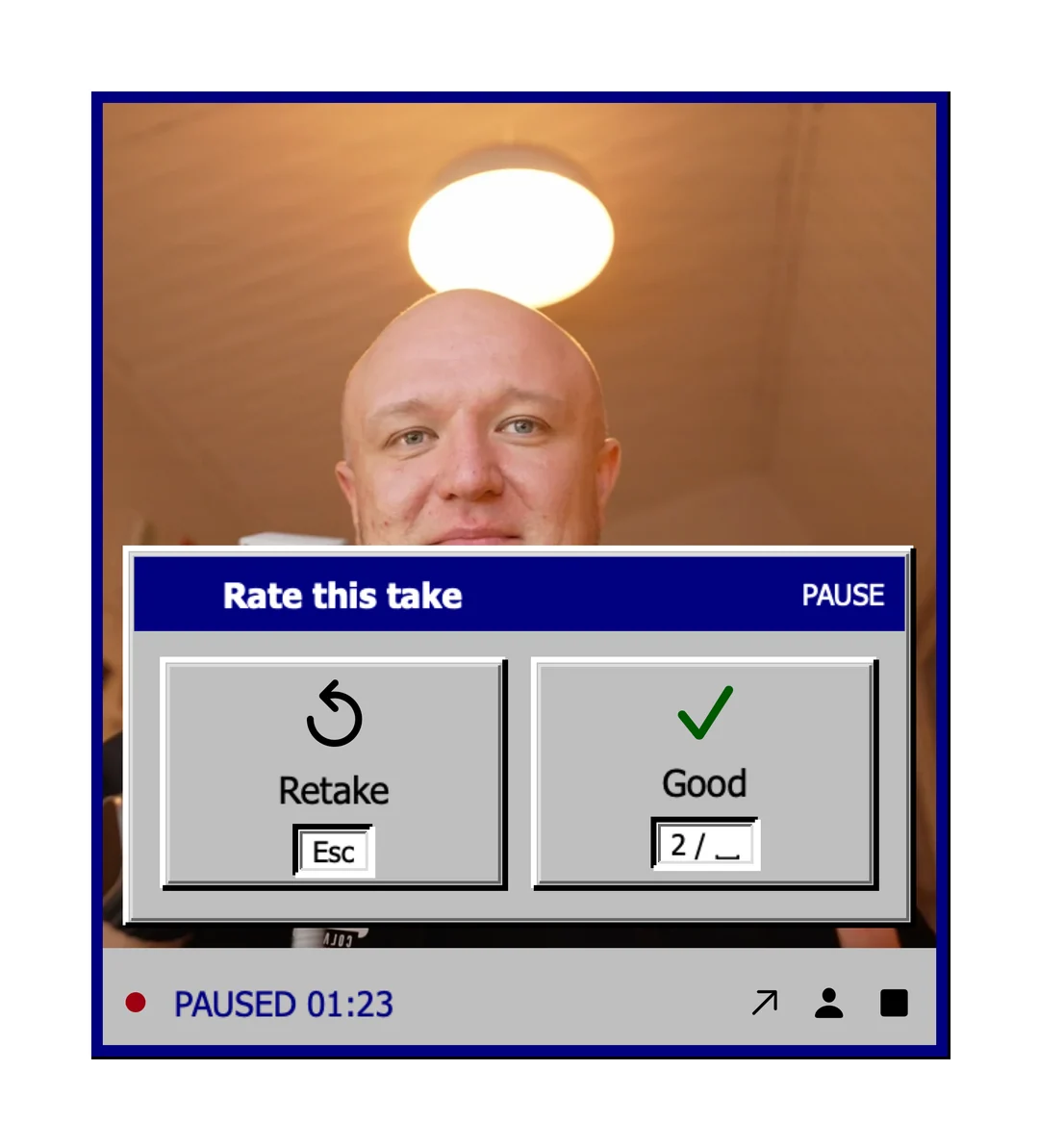
For more on choosing takes while you record, read how to make talking head reels and choose takes as you record.
Build the 9:16 Reel with Quick edit
In the Edit reel window, choose Portrait 9:16 or Both formats. The Quick edit tile takes your good takes and adds captions with Whisper running on your Mac. Words from rejected takes stay out of the captions.
Fiklo cuts the silence after the countdown, so each shot starts just before your voice. The video ends right after your last word instead of trailing off. When two good takes repeat the same sentence, the edit keeps one.
You can drag the vertical crop left or right in the preview. The “Captions in the video” switch turns burned-in captions off.
Watch the finished file and upload it to Instagram yourself. Fiklo does not post Reels for you. Quick edit adds no title cards or animation, so a richer look still needs an editor or a style of your own.
Fiklo is in closed beta. Join the waitlist.