Recover an interrupted recording before starting over
An app crash does not necessarily mean recording your whole explanation again. Fiklo 0.9.31 can detect an interrupted session and try to recover its saved footage into a separate copy. Check that copy before deciding what needs another take.
This matters when you have already worked through a tutorial, paused between sections and marked the takes you want to keep. The next useful step is finding out how much of that work is still usable.
Check the interrupted session when you reopen Fiklo
After restarting, Fiklo looks for interrupted recordings. A detected session appears above the camera preview with its date and a Recover button. Finding it does not start a recovery operation automatically. You choose when to begin.
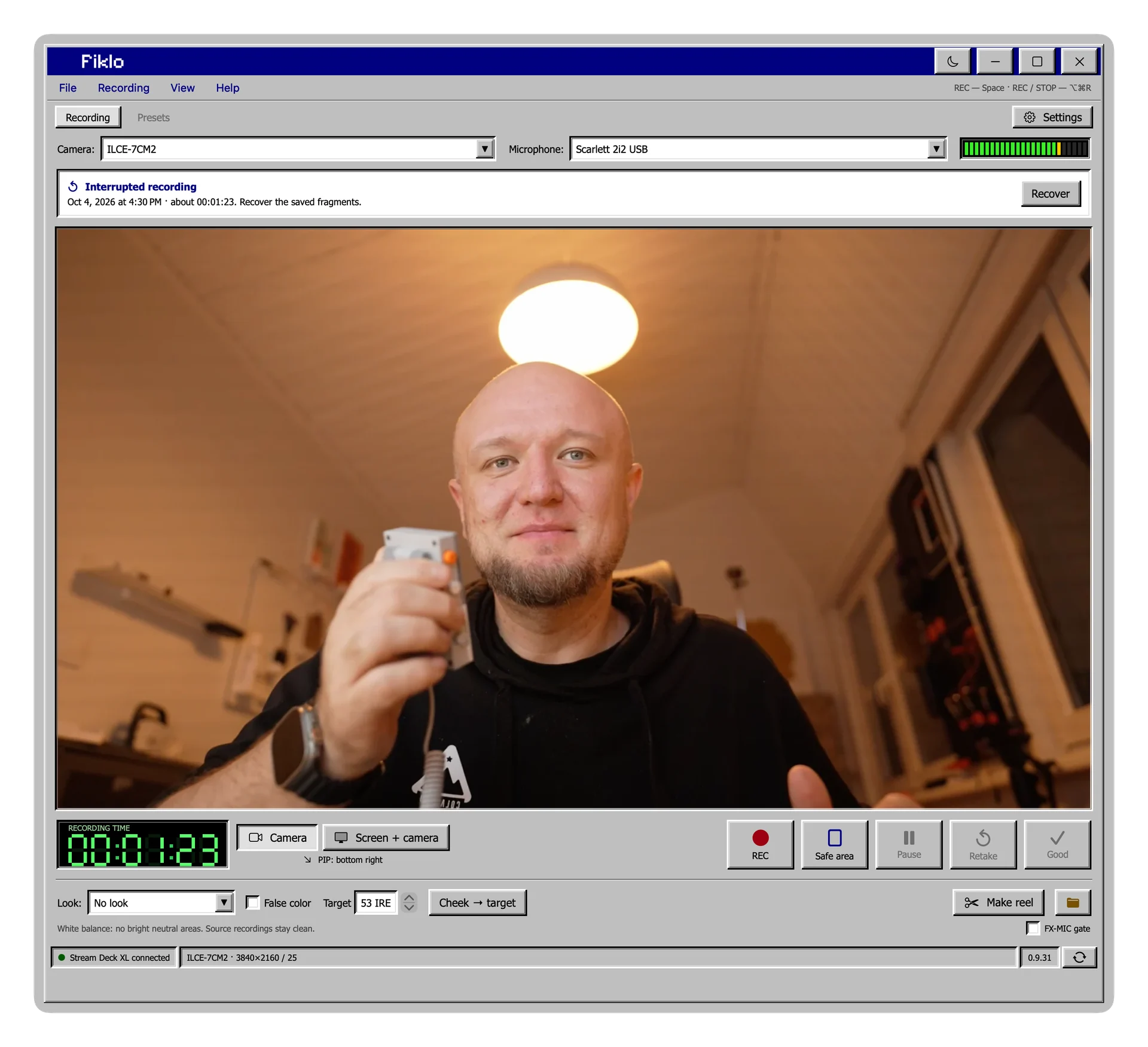
Choose Recover and wait for the result. The operation works with the parts Fiklo managed to save. You can cancel it and try again later. This recovery flow uses the recording data from your Fiklo session; it is not a general repair tool for any damaged video file.
Return to the takes you had already chosen
Recovered footage goes into a separate folder inside the session. The original files stay unchanged. Saved take decisions and pauses still apply when you assemble the video.
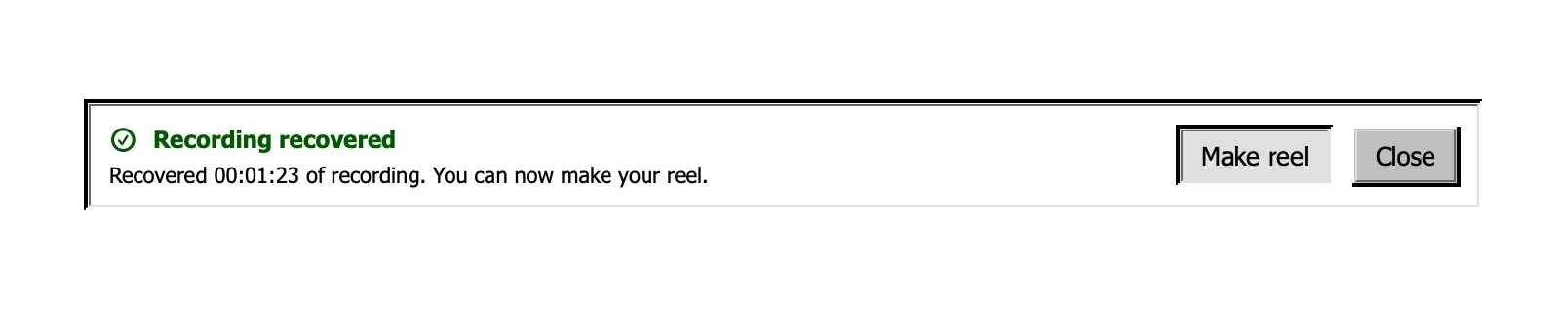
When recovery succeeds, the Make reel button takes you back to the usual editing workflow. You can assemble the selected takes and export vertical video, landscape video or both.
If marking takes during recording is new to you, start with choosing talking head takes as you record. You decide which explanation works. Fiklo keeps track of that decision.
Listen to the ending before you publish
Recovery cannot guarantee a complete recording. Footage immediately before the crash may not have been saved correctly. Listen to the ending, check the joins between takes and make sure the explanation still reaches its conclusion.
Duration alone cannot answer that. A shorter recording might contain your whole answer or stop halfway through the sentence that matters most. Reviewing it tells you what needs another take. More involved repairs and creative changes still belong in a separate editor.
Fiklo is in closed beta for Apple silicon Macs running macOS 14 or later. Join the beta waitlist to try this recording workflow when a place becomes available.