You record.
Fiklo edits.
Plug in your camera and mark the good takes as you record. Fiklo automatically edits them into vertical 9:16 and landscape 16:9 videos.
Join the betaMade for Mac · Apple silicon · macOS 14+
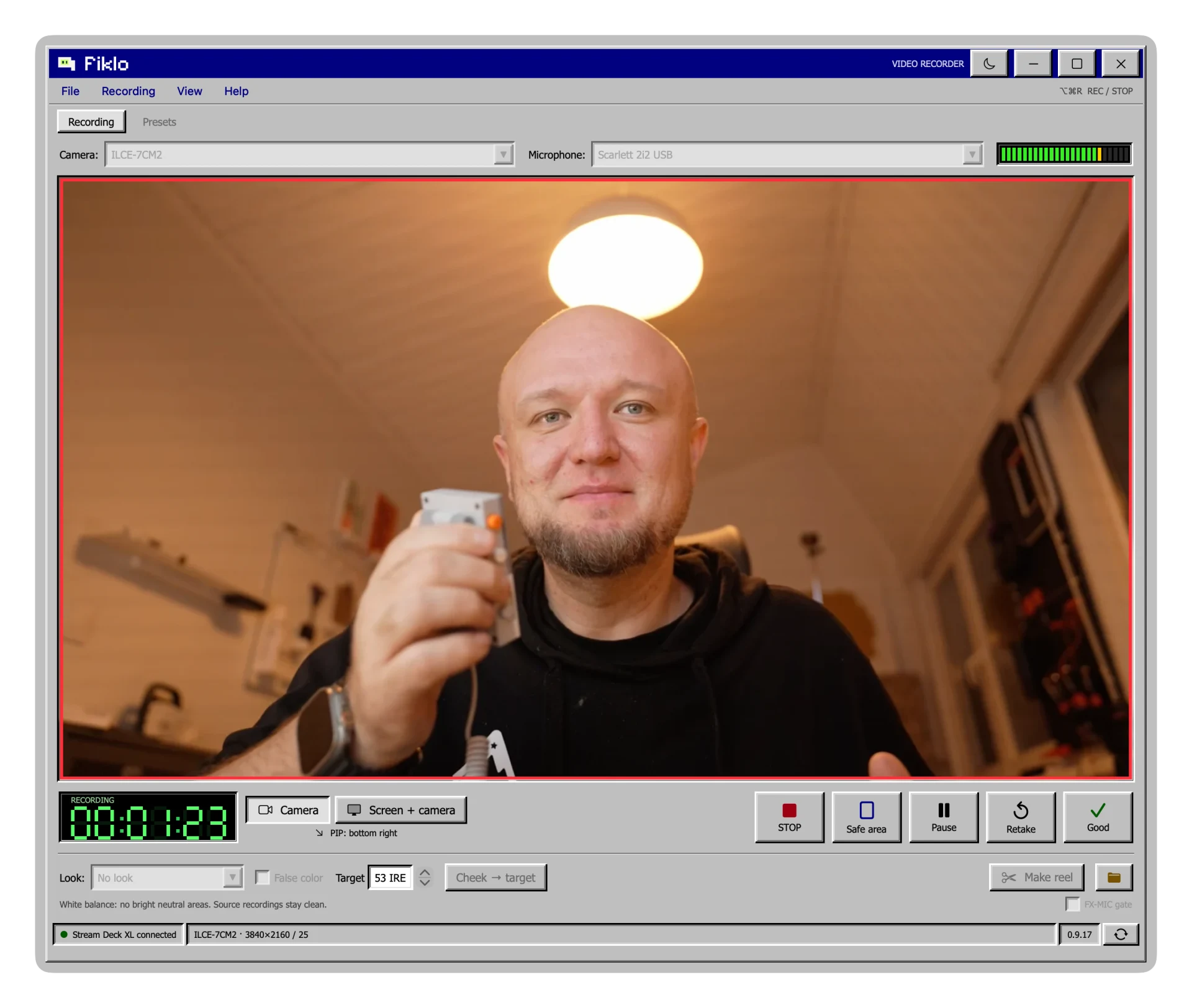
Preview your framing
Looks like 1995. Runs on your Mac.
One recording. Two finished videos.
- 1.
Plug in. Set up.
Choose your camera and microphone. Add your screen when you have something to show.
- 2.
Talk. Keep the good bits.
Pause when you need to. Mark good takes and reject the ones you want to leave out.
- 3.
Both formats. Ready.
Start the edit. Fiklo assembles your marked takes and exports both formats. No need to edit the same video twice.
A short demonstration of how Fiklo works.
Your camera. Your files. Your Mac.
Fiklo records and processes your footage locally. Your video doesn’t need a trip to the cloud before you can work on it.
Sony A7C II via USB and iPhone Continuity Camera.
Edit by talking to your agent.
Fiklo has a built-in MCP server. You connect it with one click in Settings, Connect AI. No terminal. Your Claude Code, Codex or Claude Desktop then sees your recordings with transcripts and can start the edit.
Works with Claude Code, Codex and Claude Desktop.
Recordings stay on your Mac. Your agent reads the transcript, so it goes to that agent’s model provider, not to Fiklo’s servers.
“Take my latest recording, cut the intro up to the first sentence and edit a portrait version.”
- Browses recordings with transcripts and take marks.
- Changes the cuts when you ask.
- Starts the edit in portrait, landscape or both.
- Checks progress and returns the paths of finished videos.
Before you press record.
Is this a Windows app?
It has the look of an old desktop, but Fiklo is a native Mac app. The beta is for Apple silicon Macs running macOS 14 or newer.
Do I need a professional camera?
No. You can use a camera your Mac recognises. We’ve tested Sony A7C II over USB and iPhone Continuity Camera. We’ll check more setups with beta testers.
What does Fiklo edit automatically?
You mark the good takes while recording. Fiklo assembles them and exports vertical 9:16, landscape 16:9, or both in one run. You can still use an editor for effects and more complex changes.
Can I record my screen too?
Yes. Record your camera, your screen, or both with picture-in-picture.
What if the app closes while recording?
After restarting, Fiklo shows any interrupted recording it detects. You can try to recover the saved parts into a separate copy. The originals stay unchanged. The end of the recording may not be recoverable.
Does Fiklo need an internet connection?
The installer is 49.6 MB. Before your first edit, Fiklo downloads the Whisper model (1.62 GB) if it is not already on your Mac. It keeps the model for later edits and app updates. Recording and editing run locally; your footage stays on your Mac. Internet is needed for beta activation and app updates.
When can I try it?
We’re collecting beta signups and will send invitations as places become available. There’s no public launch date or final pricing yet.
You have something to say.
Let’s get it recorded.
Be one of the first to try Fiklo. Leave your email for a beta invitation.
Check your email.
If your address still needs confirmation, you’ll get a link. Confirm it to join the waitlist. We’ll send an invitation when a beta place is ready. Check Spam too.