All your recordings in one Projects tab: preview, files, cleanup
Fiklo 0.9.46 brings recordings from ~/Movies/Rolka into a Projects tab. You can preview a finished reel, inspect its files and remove source recordings after editing. Deletion asks for confirmation and moves files to the Trash.
When you want to reuse a recording, a folder name may tell you less than its opening words or a frame of the finished video. Projects puts that information beside the recording, together with its date, length and disk usage.
Find the recording before opening its folder
Switch between tiles and a list. A finished reel supplies the preview frame, and the opening words help identify the recording. Projects also distinguishes edited recordings from recordings without an edit. If a transcript is missing, the interface says so.
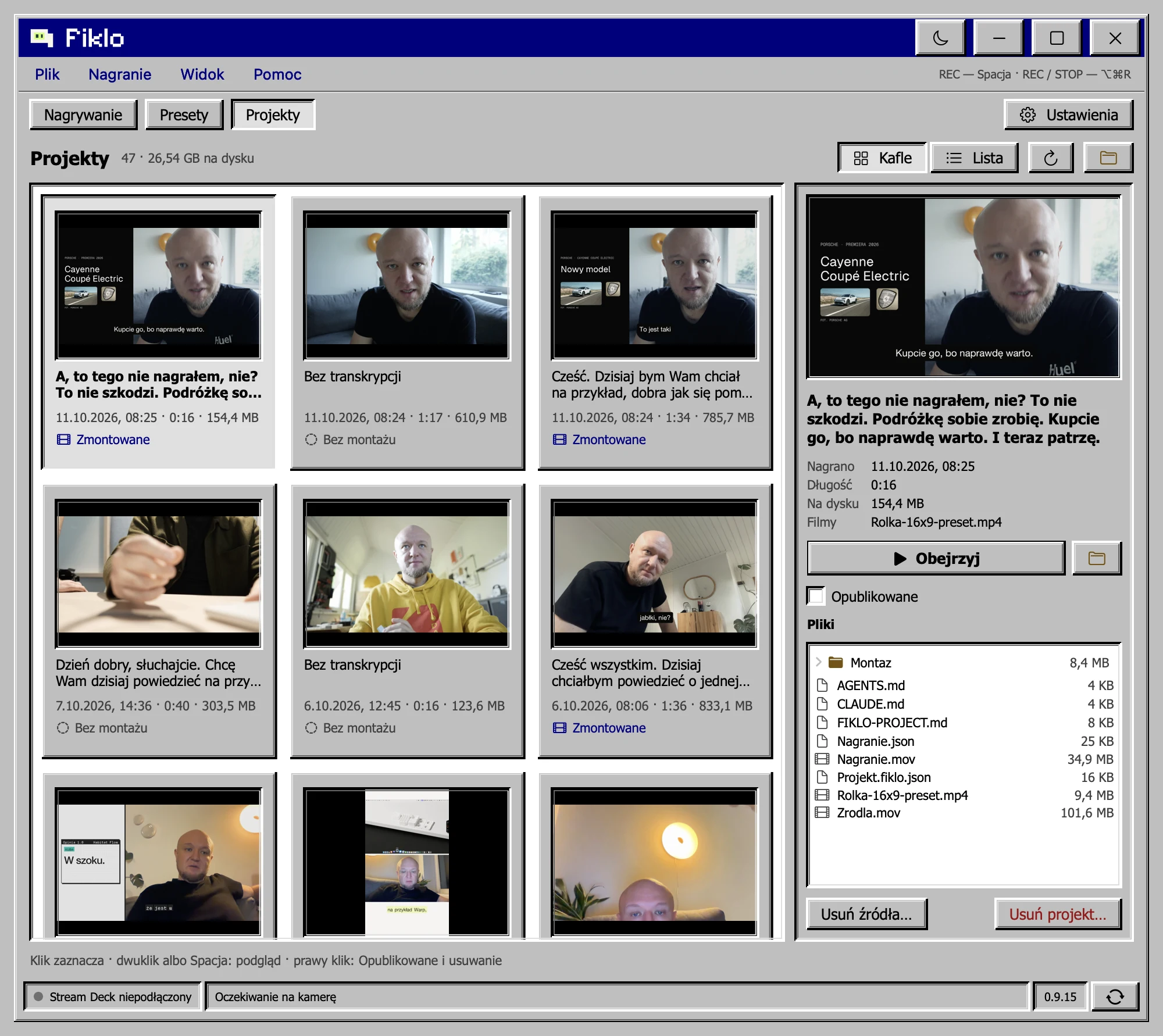
You can mark a project as published. Use this to record your own publishing decision. The marker does not upload the video or check whether it is available on a social account.
Preview the finished video and inspect its files
Double-click a project or press Space to open the finished video inside Fiklo. This lets you review the export without opening a separate player. The selected project’s side panel shows its file tree.
Double-click a file to open it. Right-click to reveal it in Finder. You can reach the export you want to share while keeping the recording and its editing files associated with the same project.
Check the actual export before marking a recording as published. If you made portrait and landscape versions, review each one. A useful project browser helps you find the files; you still need to listen to the joins and check the framing.
Choose between removing sources and removing a project
“Delete source files” removes Nagranie.mov, Zrodla.mov and the edit’s audio while keeping finished videos. “Delete project” applies to the whole project. Both actions ask first and move the affected data to the Trash rather than erasing it permanently.
Keeping an export is different from keeping everything needed for another edit. Restore the sources before attempting work that depends on them. Check what you need before emptying the Trash. Moving files there alone does not guarantee that all their disk space becomes available immediately.
If an interrupted session left an incomplete recording, read about recovering interrupted recordings before cleaning up. For the difference between a first styled edit and a repeat edit, see reusing a style template.
Fiklo is in closed beta for Apple silicon Macs running macOS 14 or later. Join the waiting list.